Appointment Config >> Basic Options Tutorial:
To configure basic options for your Appointments, click the Settings Tab, then Appointment Config, and Basic Options will be on your left-hand side.
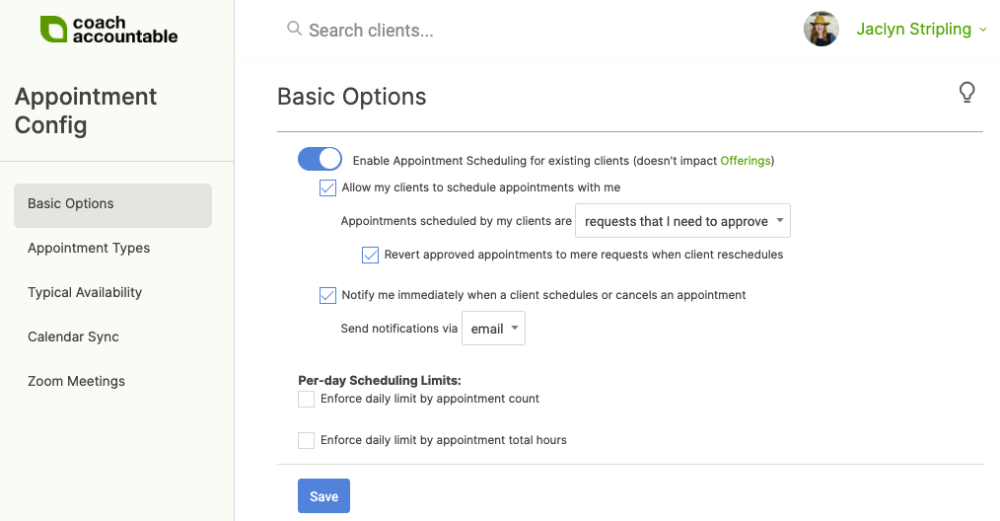
Here you can enable your clients to schedule appointments with you. If this is turned on, you'll be able to set your weekly availability and manage exceptions to it, either manually or by syncing your calendar.
You can also choose to enable email notifications whenever a client schedules or cancels an appointment. If you have a mobile number listed on your account that is U.S., UK, Australia, or Canada-based, you can opt to receive that notification via text instead.
Lastly, you can set Per-day Scheduling Limits. These can be either by appointment count or by total hours of appointments.