When you edit or create a new Appointment Type, the first couple of options you'll have are Duration and Padding.
Duration
Duration is simply the length of your Appointment Type. Set the duration to 30 minutes, for example, and that's how long the actual appointment with your client will be.
Padding
Padding ensures that your appointments are not scheduled too closely together. It provides some breathing room between the end of one appointment and the earliest time the next can begin. Padding impacts which spots are shown as available to your clients when they schedule an appointment with you.
For example, you might use 10 minutes before a weekly coaching call to get up to speed on the client, and then 10 minutes after each call to take notes on the session.
Together, Duration and Padding determine the total time required for that appointment type.
In the example below, the total time blocked for this appointment type is 50 minutes:
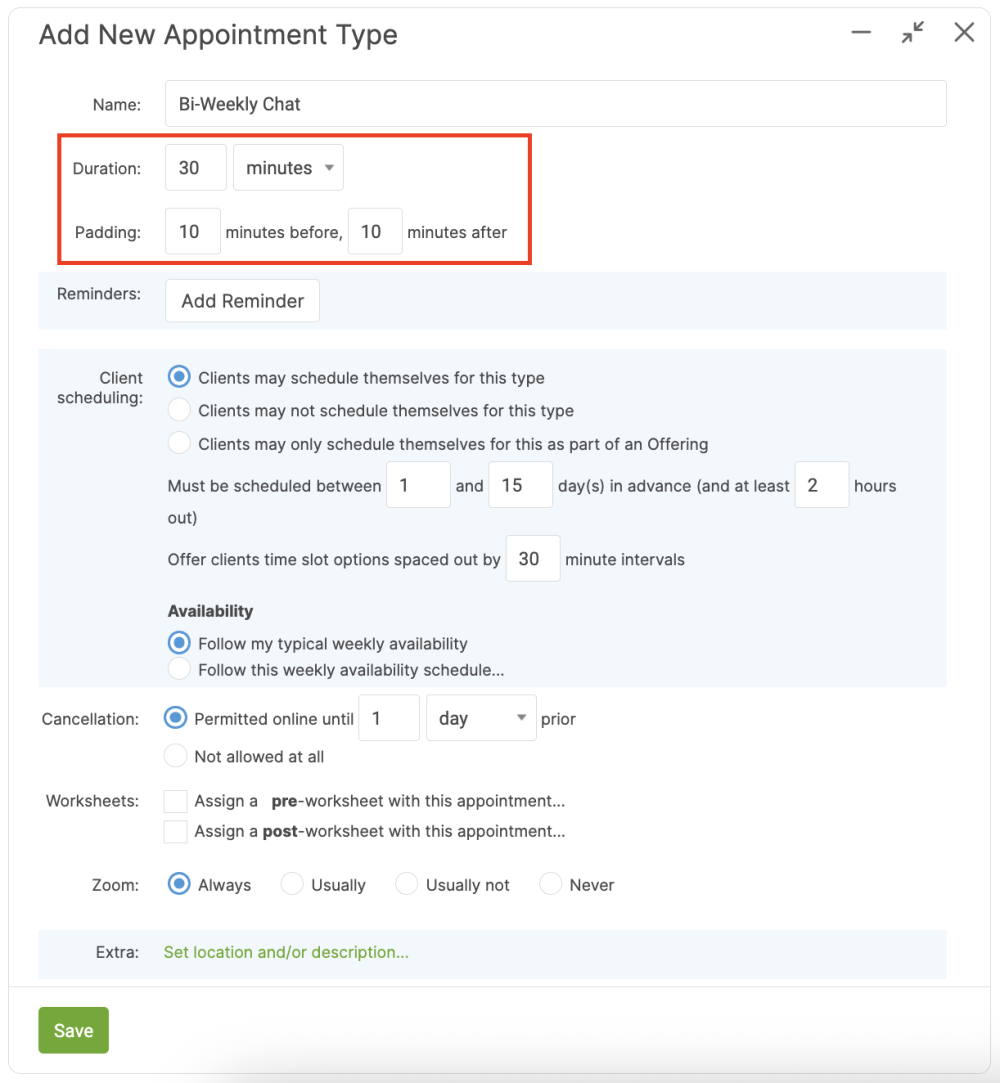
30 minutes for the session
+10 minutes padding before the session
+10 minutes padding after the session
---------------------
50 minutes total must be available in your calendar