Adding a new Client for the first time prompts the system to ask you if you want to turn that client into a Freebie client.
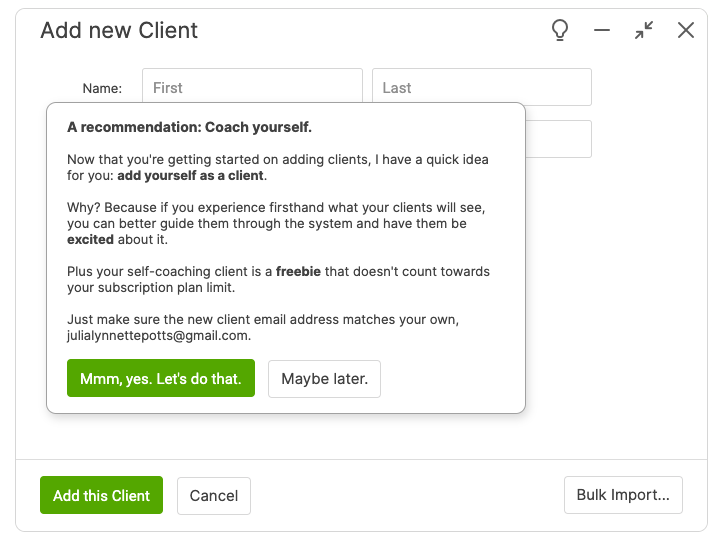
This client does not count towards your subscription plan, and is useful for experimentation and self-coaching purposes.
Since the freebie client is an actual client, you can log in as that client to see things from the client's perspective.
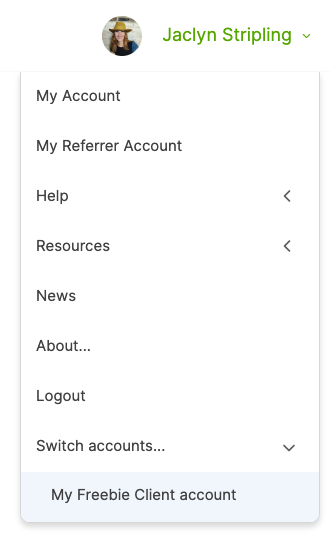
Better yet, you can easily jump from your coach account to your freebie client account. Do this from the top right user menu; within the "Switch Accounts..." sub-menu click the "My Freebie Client account" item.
When you assess your Freebie client for the first time, you'll be prompted to create a Username and Password (which you don't need to remember). This allows you to see things from a Client's point of view when they register their accounts with you!
Once set up, you can easily switch between your Coach and Freebie client accounts, test things out as a client, assign things to yourself, such as Actions to get things done, a Metric to track a personal/business goal for yourself, and perhaps even keep a Journal.
Your freebie client account must always have the same email address on file as your coach account: changing one will change the other.
Adding a Freebie Client Later
If you delete your freebie client, or don't opt to create a freebie client the first time it's suggested to you, you can always still set one up.
The trick is to add a client whose email address matches the one you have on file as coach. When you do this and DON'T already have a freebie client, CA will notice as much and present you the option to turn that new client into your freebie.