The Worksheet Answers report allows you to collate responses from any form-based Worksheets or Session Notes into a convenient table, ripe for exporting as a CSV.
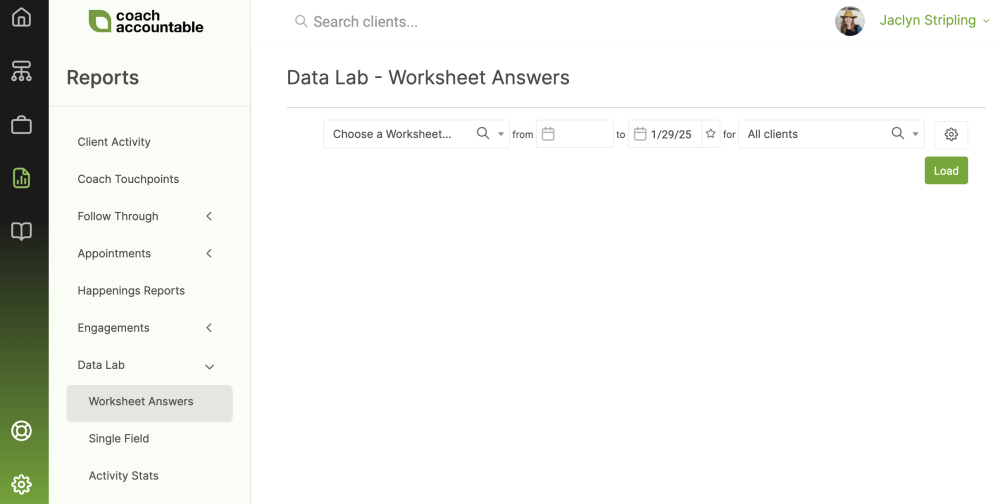
You can find this report in Reports >> Data Lab >> Worksheet Answers:
Selections
This report is based on a given Worksheet or Session Template, so the first step is to choose one, like so:
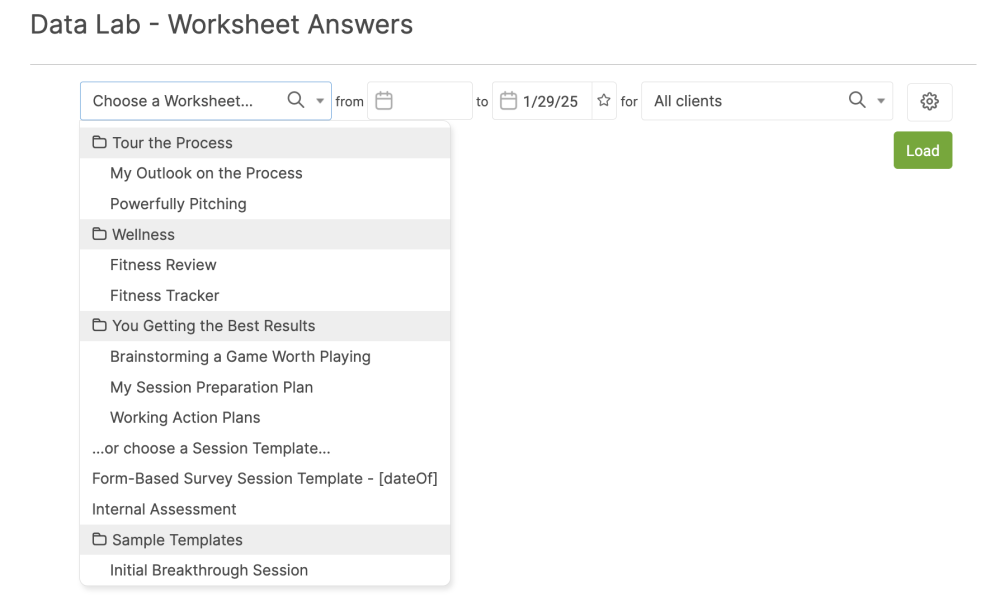
Next, choose the date range you'd like to see data for and if you'd like this to pull for all clients, one specific client, a Group, or a Company. For Team Edition accounts, you can also view the activity of all the clients under one of your coaches.
By clicking the gear icon, you reveal a few more controls by which to tailor the output, like so:
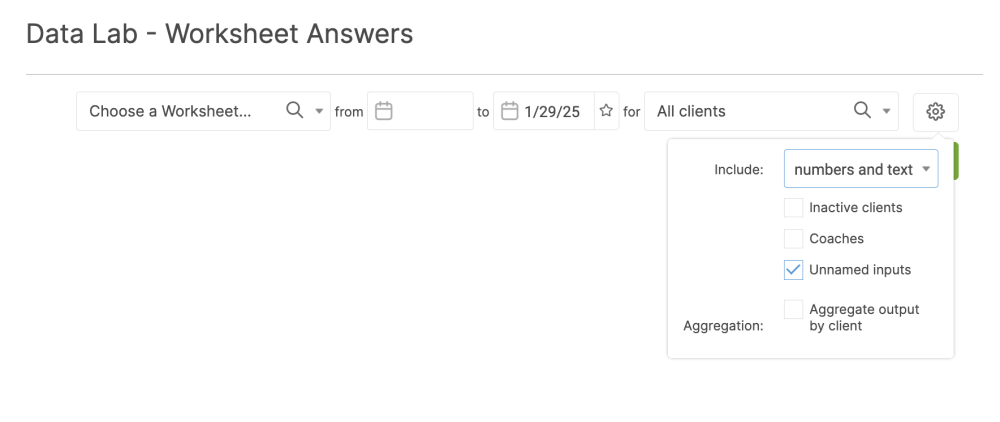
By default, inactive clients are omitted, but you can include them by checking the "Inactive clients" checkbox.
In Team Edition, you'll see a "Coaches" checkbox under inclusion: check this to include which coach assigned a given Worksheet (or authored the Session Notes).
"Unnamed inputs" is a slightly curious but important checkbox for what you include. To understand why this exists and how it works, consider that when building your Form-Based Worksheets (and Session Templates), you have the choice to name or not name a given input. For structured (and suitably labeled!) data to come out it is useful to have those inputs named, BUT if they're not, you can still get them out by choosing to include "Unnamed Inputs".
Tip: If you know you should have a lot of data for a given Worksheet yet nothing is coming out, there's a good chance you never named the inputs in that Worksheet Template. So try running it with "Unnamed Inputs" included.
Finally, you have the option to aggregate the output by client. This is useful if your clients typically fill out the same Worksheet on multiple occasions throughout their working with you. Aggregation options are to output the latest, earliest, average, or sum value.
Once you run the report you'll notice the download CSV button appear in the bottom right, which can be useful to get this data into e.g. Excel for further calculation or sharing.