One thing you may have noticed is that you're only able to issue invoices to your Clients. But what if, whether or not the invoice concerns one of your clients, you want a third party to be able to receive and pay it?
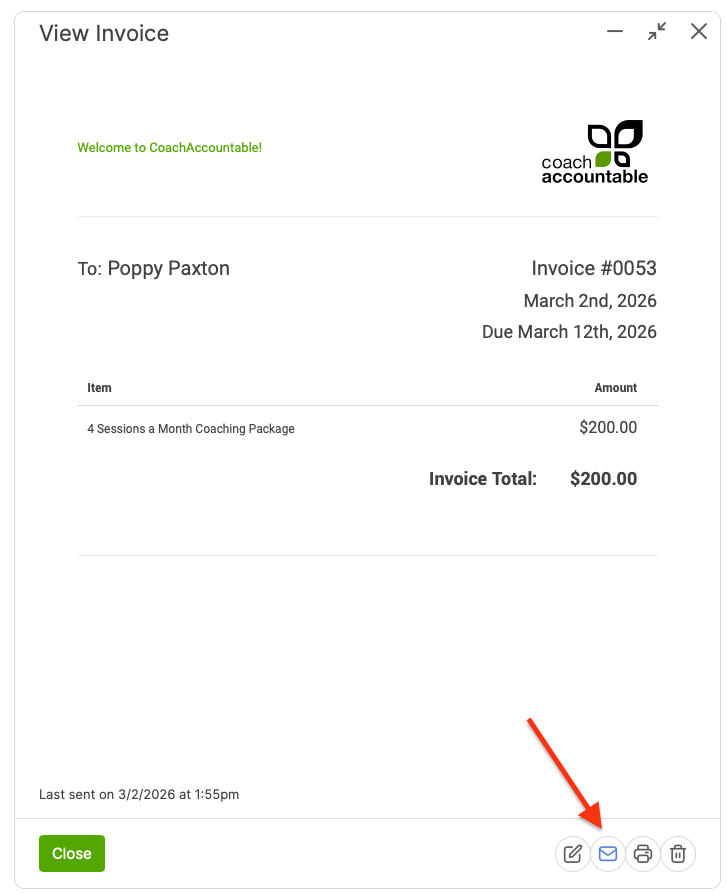
When sending an invoice, you can send it to a third party (after it's created) by clicking on the invoice and clicking the email icon at the bottom right:
And, putting in the 3rd Party's Email Address:
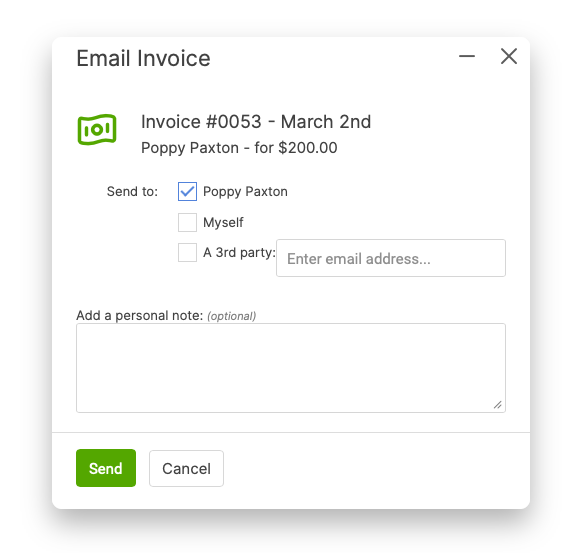
They will receive an email with a link to view/pay the invoice without logging in.
While this is sufficient and quite handy for one-off instances, if you are working with a client who has recurring invoices that will be paid by someone else, you'll want to use Companies and designate that 3rd party as a personnel member to be the recipient/payor of those Company Invoices.
You'll enable them on your My Account >> Add Ons page, then create the Company, then the Personnel who is to receive and pay the invoice (being certain to indicate that person as able to receive and pay company invoices).
Once set up, you'll be able to issue the invoice to the Company.