As we saw in the setup of Templates, Engagements can be set to send notifications to your clients about the progress as it unfolds.
To customize the language of these notifications, go to Settings >> My Style >> System Message Templates. The two that concern Engagements are called: "Engagement Progress Notification" and "Engagement Schedule Nudge Notification."
Here's the Engagement Progress Notification:
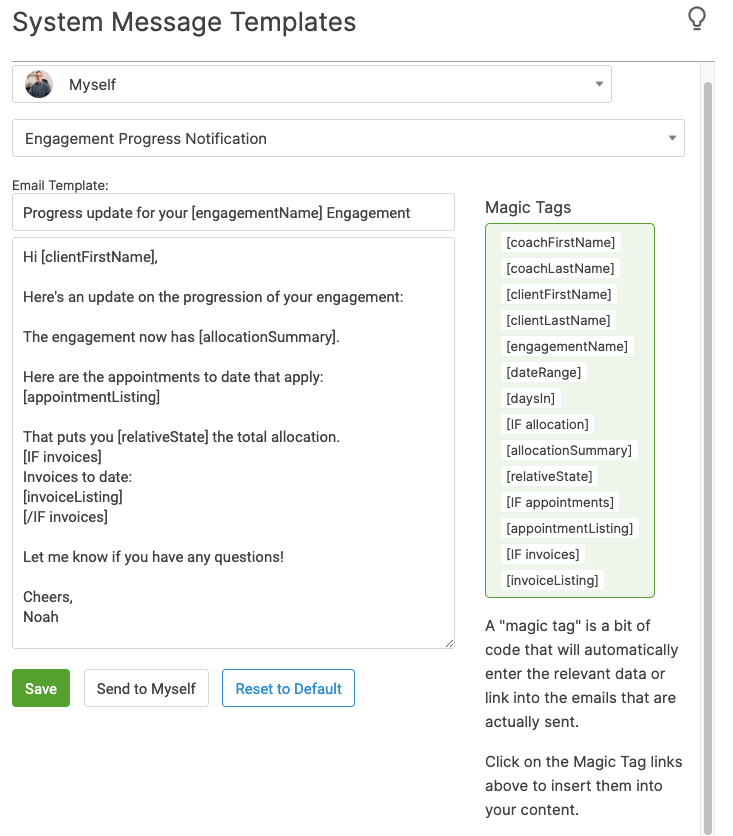
Notice the available magic tags. [appointmentListing] shows the client a neat little table with all the previous appointments that have counted toward the allocation so far. This helps ensure you don't run into any surprises if a client's unsure which sessions have been part of the package.
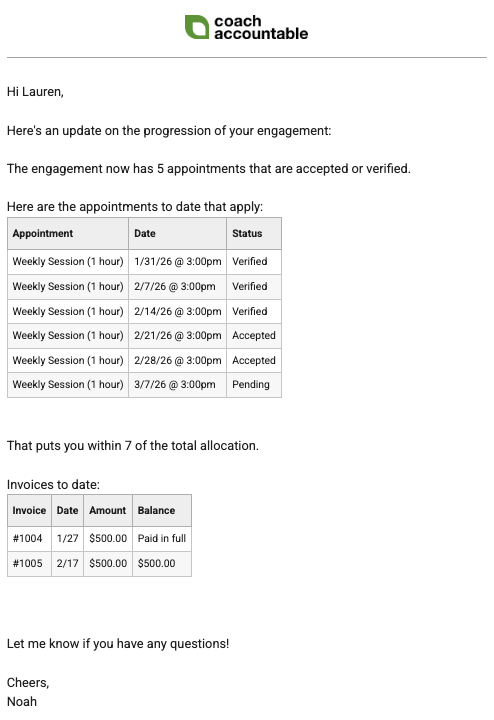
When one or more invoices exist for the Engagements, [invoiceListing] shows a neat little table listing the invoices and any outstanding balances. Invoices with outstanding balances will include a link for your client to pay the invoice.
Here's what it looks like in an email (subject line: 'Progress update for your Monthly Individual Coaching Engagement,' where Monthly Individual Coaching is the name of my Engagement).
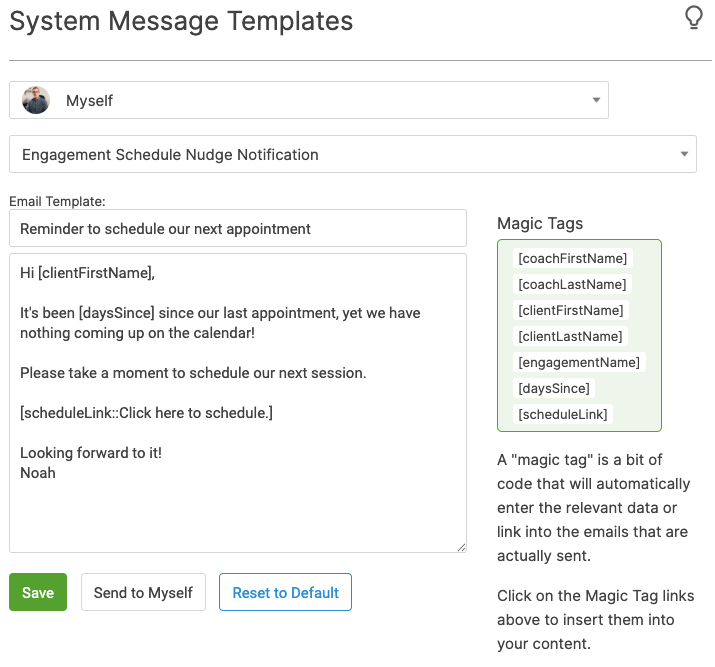
Similarly, a Schedule Nudge will notify you or your client when it’s been a certain number of days since the last appointment, specifically when nothing else is scheduled on the calendar.